
In the quest to increase sales and traffic to the website or simply generate awareness of product/service, companies are implementing Email marketing.
Email marketing is one of the most effective ways to reach and engage your audience — but even small mistakes can hurt email deliverability, inbox placement, open rates, and subscriber engagement. In 2026, inboxes are more competitive than ever, and mailbox providers rely heavily on sender reputation and user engagement signals.
1. T00 MUCH PUNCTU@TION** ??? !!!
-
- Don’t use all capital letters, especially in subject lines, as they can trigger spam filters and hurt Email deliverability, inbox placement, and open rates.
- Don’t use repetitive symbols such as dollar signs or exclamation marks, as they are common spam triggers that impact inbox placement and sender reputation.
2. Not welcoming your subscribers
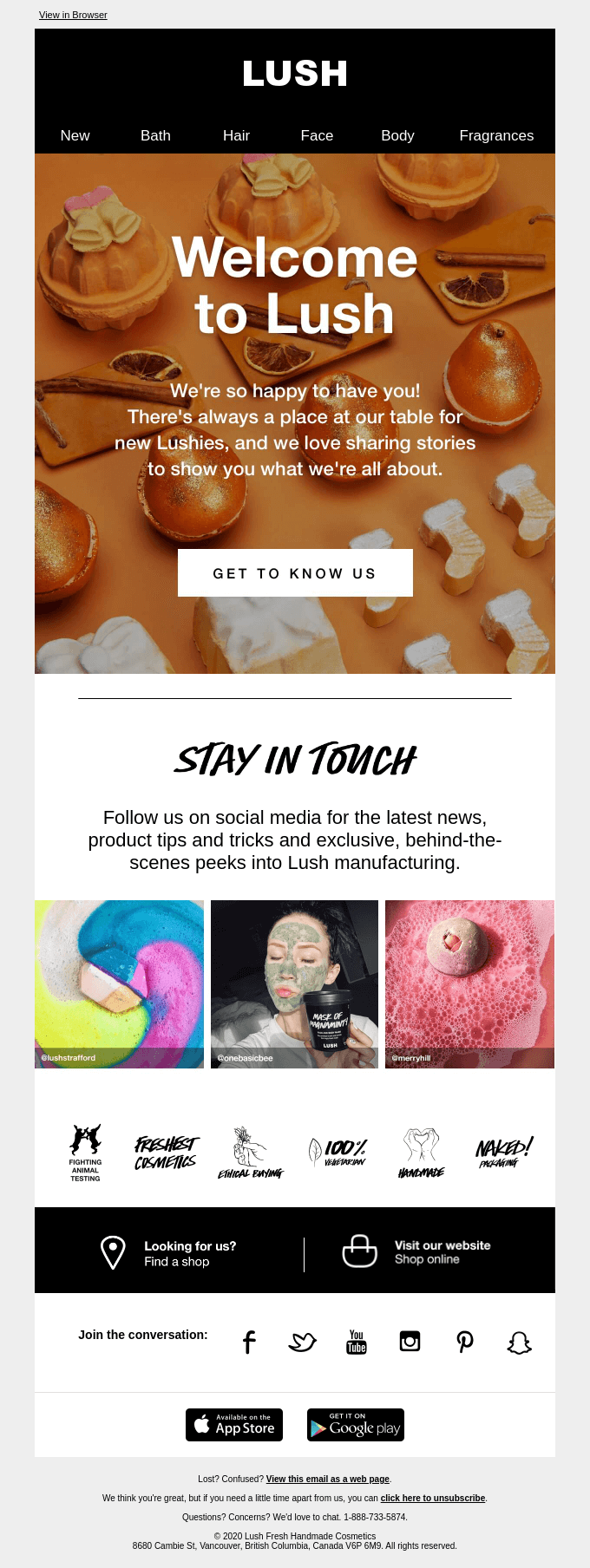
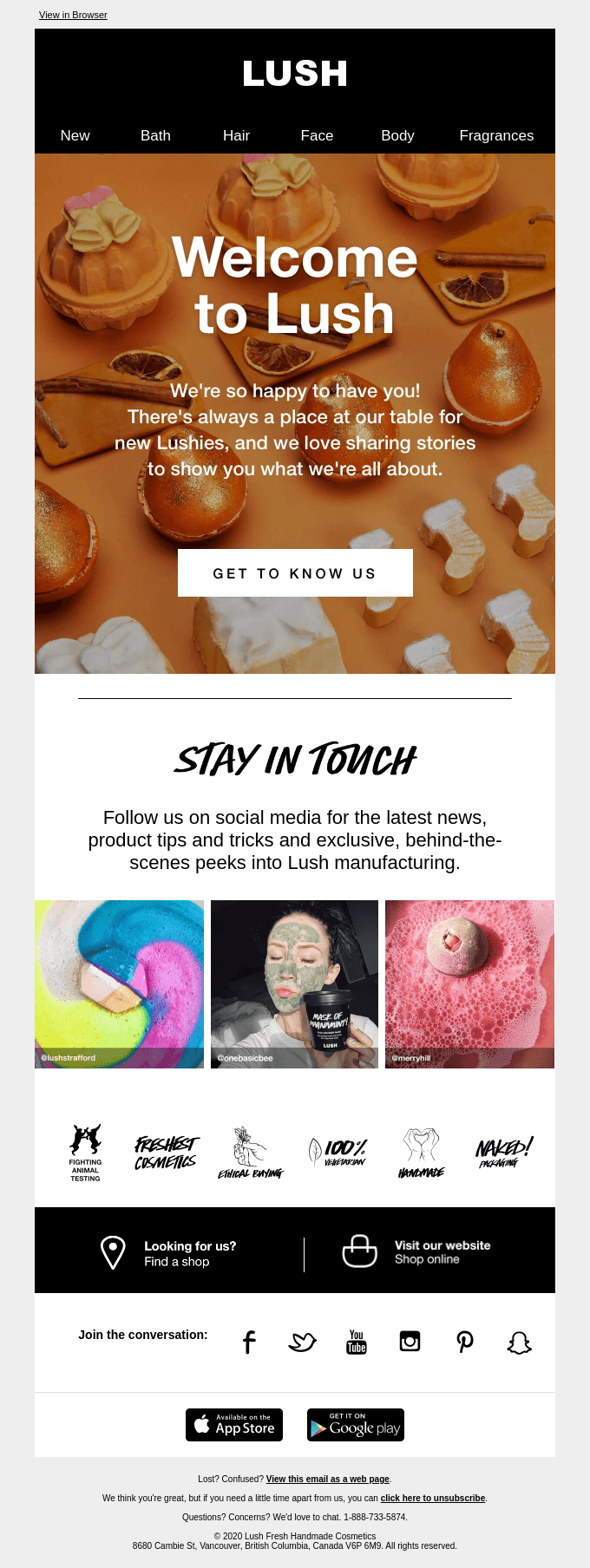
According to research, welcome Emails have higher open rates and click-through rates, making them critical for early engagement. If you are not sending a welcome Email, then you are losing out not only an opportunity of building a trust-worthy relationship with your subscriber but also a chance to land a sale!
If you are not sending a welcome email, then you are losing out not only an opportunity of building a trust-worthy relationship with your subscriber but also a chance to land a sale!
3. Forgetting a call-to-action
Call-to-action or CTA helps to put the right message in front of your subscriber at the right time and improves conversions and engagement. It helps to trigger the expected response from your subscribers.
Your CTAs have a direct impact on your conversions. CTA button consists of two elements- design and text.
CTA design is a visual cue that helps to attract the prospect’s attention to the CTA. In other words, CTA design answers the question, “Where should I click?”
Button text, on the other hand, helps prospects make up their minds in the last critical moment and answers the question, “Why should I click this button?”
There is no “ultimate CTA” that works every time. CTAs come in all sizes, shapes, and colors, and there really is no one-size-fits-all solution that works every time. It all depends on the context and the layout of your email.
4. Generic or unfamiliar From Address
Readers don’t connect with generic sender names like customercare@online.yourcompany.com. Use your brand name or a recognizable sender to build brand trust and email credibility.
Also, it comes across as uncaring to subscribers. When you ask your visitors to subscribe to your newsletter or your company updates, you should always have a two-way conversation, wherein you send your latest updates, blogs, etc. and your subscribers reply to your email with their feedback, views or suggestions. By doing this you make sure, that your subscriber finds your emails useful and engaging.
5. Difficult unsubscribe process
A complicated unsubscribe process frustrates readers and increases spam complaints.
Emails are scanned, not read. Always clearly indicate an unsubscribe option. If you don’t, unread emails will land in spam, damaging IP reputation and deliverability performance.
A clear and quick unsubscribe process is essential for long-term list health.
6. Using the whole email as an image
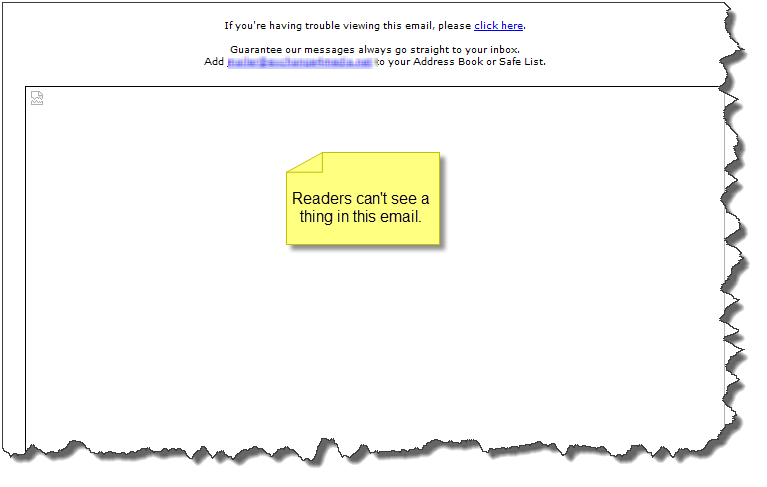
We see many many big and small companies do this. This is is a BIG NO NO. Images are turned off by default in most email clients. By giving a whole image in your email you are asking the person to click the image before they even read the content. Predictably most users ignore such emails. This is a lost opportunity.
7. Boring Subject Lines
Subject lines should prompt your audience to open your email, not simply provide a name for the email. For example, an email with a Subject line that reads, ‘June Newsletter’ isn’t likely to generate too much excitement. Try the following ideas to keep your subject lines from boring your audience:
- Include the immediate benefits of opening your email in the Subject line.
- Use your Subject line to highlight one of the articles in your email.
- Repeat your email’s main call to action in your subject line.
- Repeat one of your email’s main headlines in your Subject line.
8. Sending too many emails
Email frequency is the thin line between being helpful and annoying, timely and spammy, converting and unsubscribed. You need to maintain a balance between this in order to create a successful email strategy. 69% of people unsubscribe from your emails is because they are tired of receiving emails from you.
One of the ways out can be to let your subscribers control the frequency of your emails. Let them decide if they want to receive daily, weekly or monthly updates from you.
9. Not segmenting subscribers
Sending out a bulk email to your subscribers, annoys them, because they may not be looking for the stuff that you are sending. It may be completely irrelevant to them. This is again one more reason why a subscriber might end up unsubscribing from your emails.
So make sure you segment your email lists. Wait! What is the list segmentation? Email marketing segmentation is the act of splitting your list into different groups or segments that consist of people with similar characteristics.
So segmenting helps you to share personalized content at the right time with the right people.
10. Neglecting mobile users
According to a survey, nearly 68% of all emails are opened on mobile devices, and 52% of those opens happen on smartphones, which is why you should never ignore the impact of a responsive email design on engagement and deliverability.
Responsive emails automatically adapt to whatever device they are opened on. In other words, emails with a responsive design look great on every device — improving user experience and email engagement.
Final Tip for 2026
Not setting up SPF, DKIM, and DMARC authentication is one of the most common mistakes that negatively affects Email deliverability and inbox placement.
Want to increase your eCommerce sales using email marketing?